 Junction
Product tour
Everything in Junction.
A ready-made team of AI agents for your business, led by a Chief of Staff. They do the day-to-day work, and you approve before anything goes out. The app pictures on this page are the real app, with a fictional business in it.
How it works
Four things around every agent.
Each one is in the app today.
1Its own computerYour business gets its own private Junction server. Agents can also use a cloud computer with a browser, or your Mac.Cloud computers are on paid plans and run on Box, billed by Box.
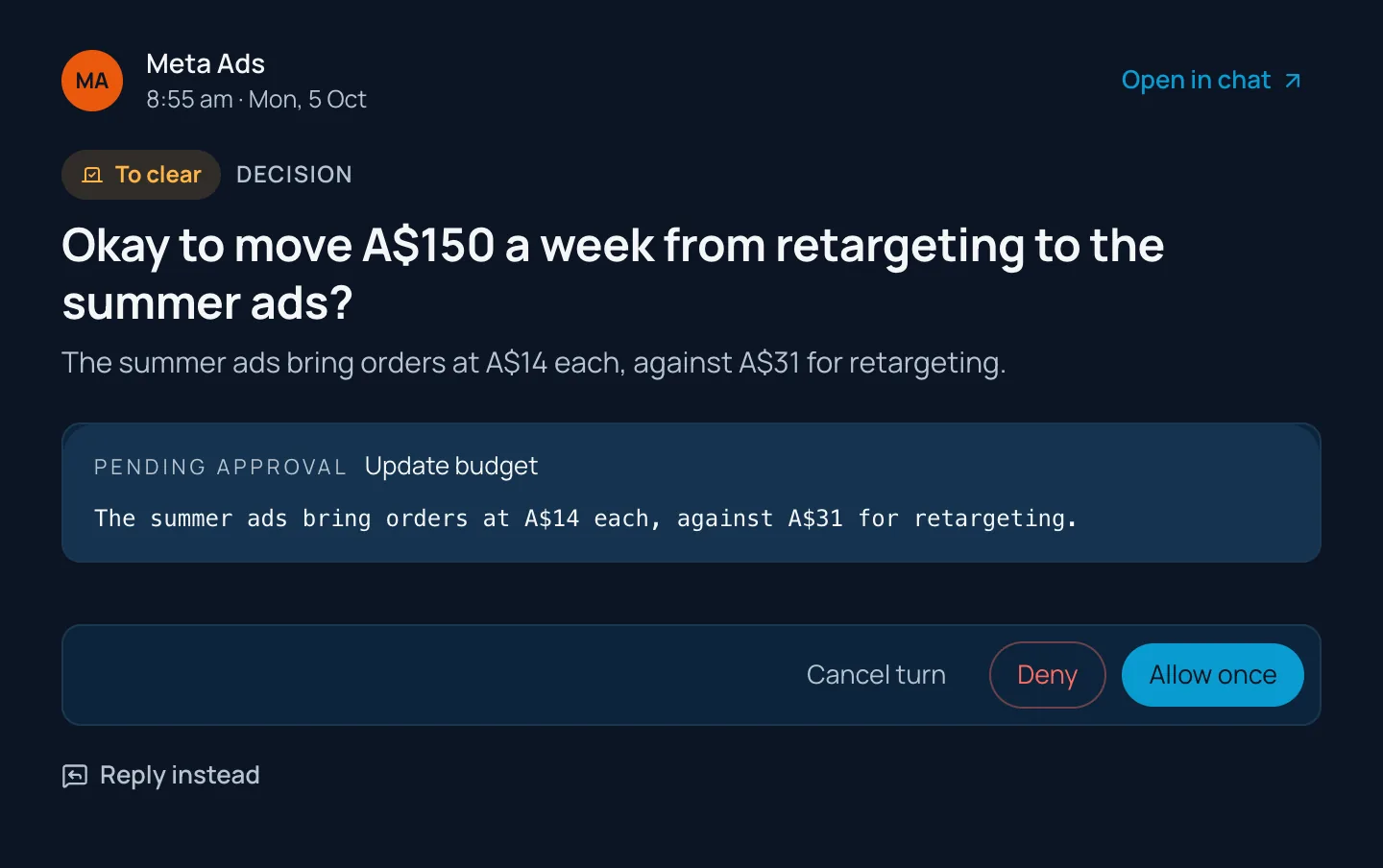
4Your yesAnything that sends, posts or spends waits for your yes on that exact item, checked on our server.
2Your apps, connectedGmail, your calendar, your CRM, Shopify, Klaviyo, your ad accounts and more. Each agent only uses the apps you give it.
3Your data, your warehouseYour numbers sync into your own warehouse: a private one on your server, or your own Supabase or Postgres. Agents read it, never change it.
Home
Set a goal. Reach it faster with AI.
Tell Junction where you’re going. Your Chief of Staff finds the bottleneck, and your agents work on it every day.
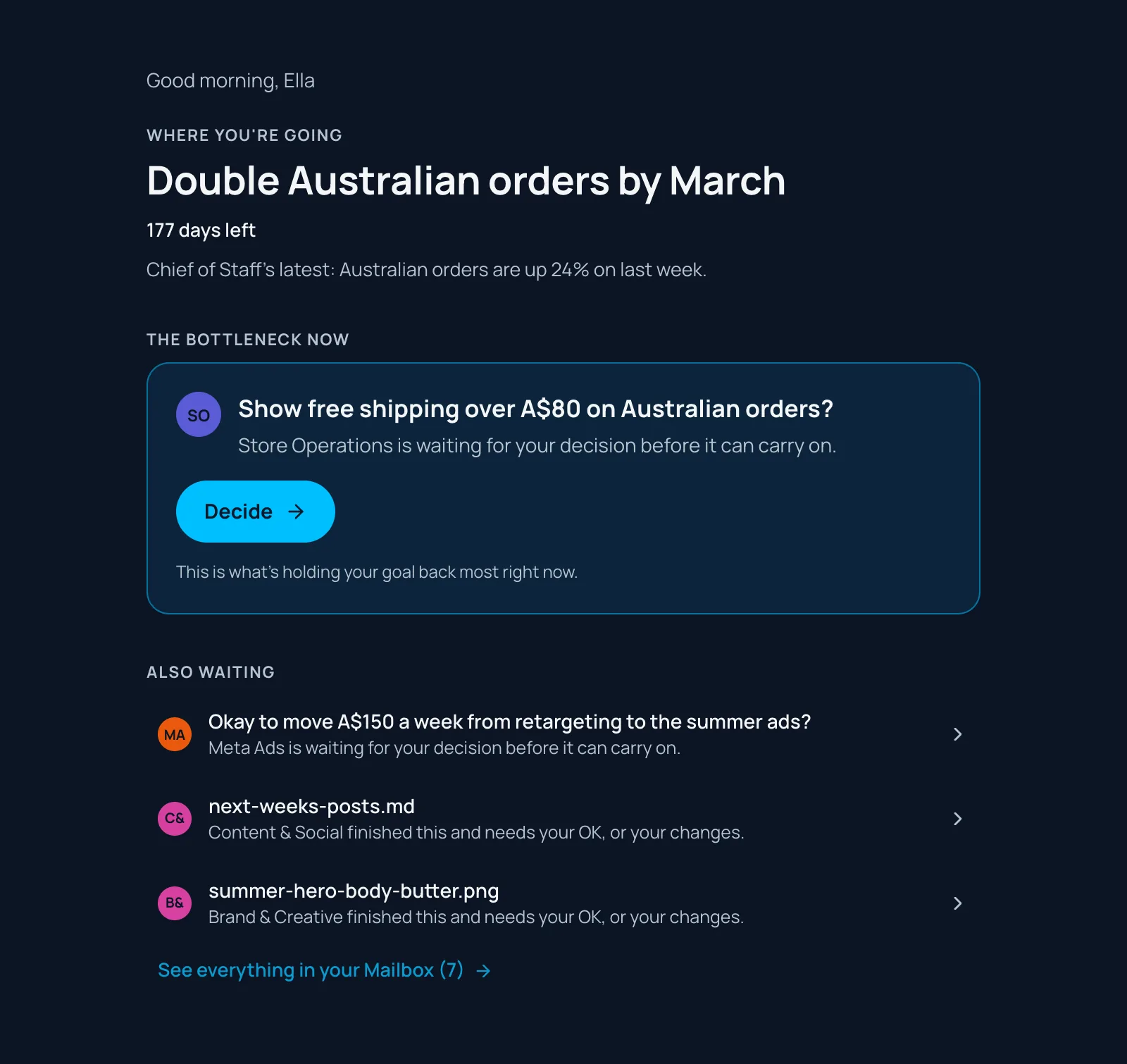
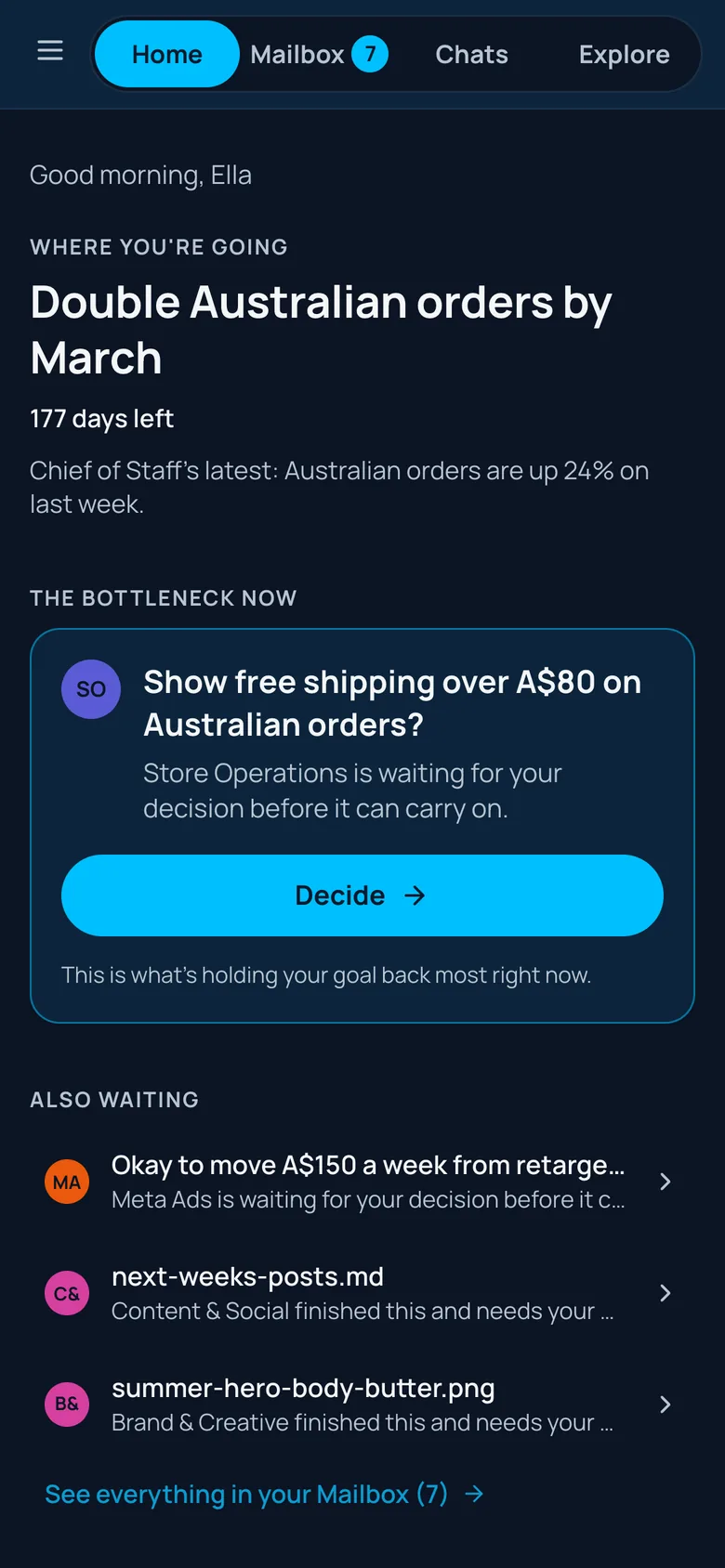
- Your goalSet it once. Every agent works toward it.
- The bottleneckThe one thing holding it back, found for you.
- Every dayAgents work on it. One button shows you where to start.
AI and people
AI works toward your goals. You do what only people can.
Your agents take the volume of the work. What’s left is the part that needs a person.
AI does the labour
- Research
- Numbers and reporting
- Drafts of emails, posts and ads
- Testing
- Follow-ups
- Scheduling
- Sourcing
You do what only people can
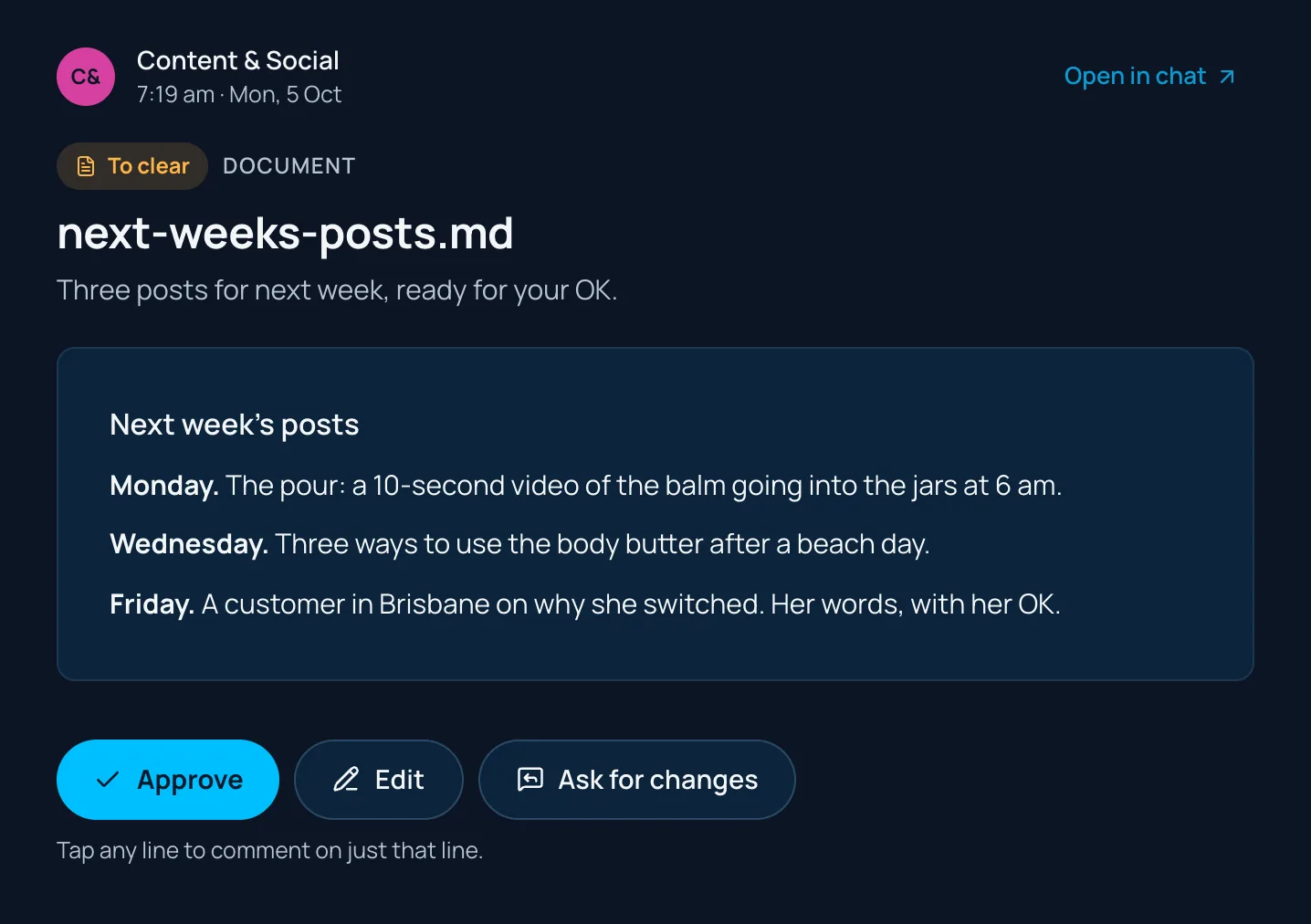
Finished work lands in your Tastegate, where your taste decides what goes out: approve it, edit it, or tell the agent what to change. Nothing goes out without your yes.
Your team
Build your company like an organisation: AI and people.
Your agents report to a Chief of Staff. Your people do the work that needs a person. See every agent
YouFounder or ownerDirection, and managing your agents
People
- SSalesCustomer relationships
- CCreativeTaste
- +Generalists or specialistsAs you need them
AI
CChief of StaffPlans the week, finds the bottleneck
Marketing
- CContent & Social
- EEmail & SMS
- MMeta Ads
- GGoogle Ads
- SSEO & AEO
- BBrand & Creative
Sales
- SSales
- WWebsite Chatbot
Online store
- SStore Operations
- WWebsite
- SStore Builder
- PProduct & Sourcing
Money & numbers
- FFinance
- WWeekly Results
It’s your call.Start with one agent or the full team, and shape it your way. Add agents from the library, or make your own.
Chats
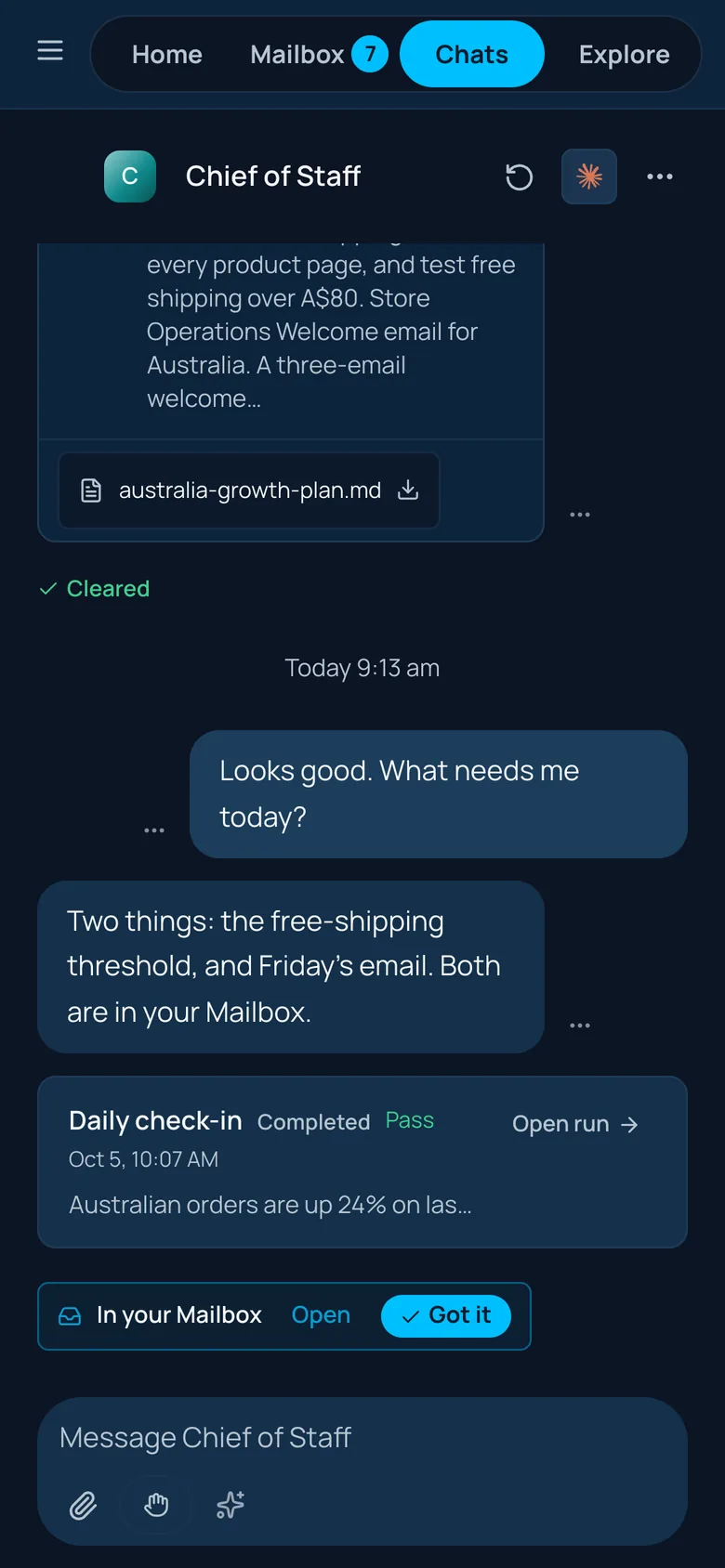
Short answers. One thread per agent.
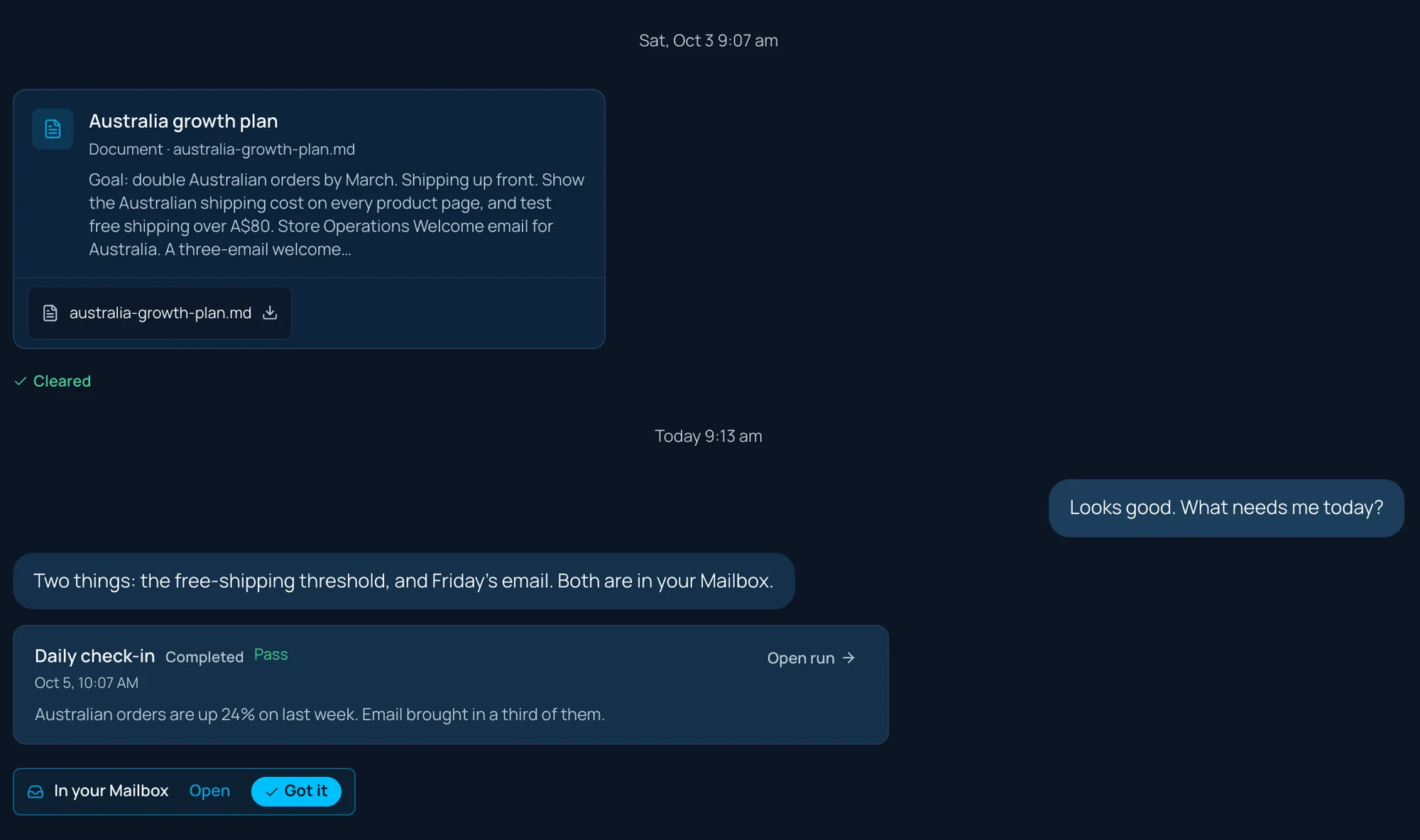
Talk to any agent in one continuous thread. Replies stay short. Anything longer arrives as a document you can open and edit.
Routines
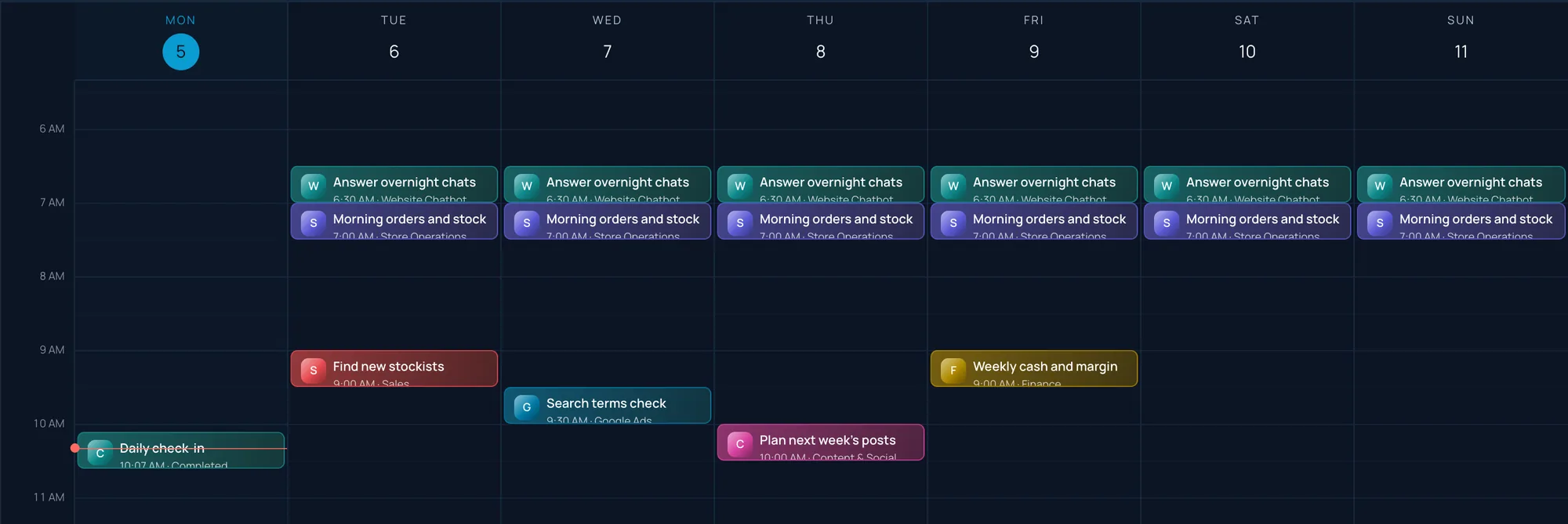
Routines run on their own.
Daily checks, weekly numbers, next week’s posts. Your agents do the reading and the work on schedule, and only ask before sends, posts and spends.
Connected apps
Your apps, connected.
Connect the apps you already use. Each workspace gets its own private set of connections, and each agent only uses the apps you give it. Disconnect any app at any time.
The agent library works with more than 30 apps, including the ones on the right.
- GGmail
- OOutlook
- CGoogle Calendar
- HHubSpot
- PPipedrive
- SShopify
- KKlaviyo
- MMeta Ads
- GGoogle Ads
- AGoogle Analytics
- SSearch Console
- SGoogle Sheets
- NNotion
- IInstagram
- LLinkedIn
- SStripe
- XXero
- CCalendly
Your data
Your numbers, in your own warehouse.
Junction syncs your business data into a warehouse that’s yours: a private one we make on your Junction server, or your own Supabase or Postgres. Agents read the same numbers you do. They can read it, and never change it.
Syncs today from Shopify, Meta Ads, Google Ads, Google Analytics, HubSpot, Klaviyo and Pipedrive, every hour by default.
- One private server and storage per business. No other customer shares it.
- Agents get read-only access to the warehouse.
- We don’t pool your data, sell it or train AI models on it. See our privacy policy.
Your AI
Plug in any AI.
Bring the AI you already pay for. Give each agent the model that suits it, and switch any time.
Agents think with
Sign in with your plan, or add an API key.
 Claude · AnthropicSign in with your Claude plan, or an Anthropic API key
 ChatGPT · OpenAISign in with your ChatGPT plan
 Gemini · GoogleGemini API key from Google AI Studio
 Grok · xAIxAI API key

 Another modelAny OpenAI-compatible API: OpenRouter, Mistral, DeepSeek, Groq, Together, or a local model
Creative makes images and video with
On your own key for each service.
- OpenAIGPT Image
- Grok Imagine · xAIImages and video
- Gemini · GoogleNano Banana images, Veo video
 HiggsfieldImages and video
 Vercel AI GatewayMany image and video models
Every option is billed by the provider directly, on your own account. No credit packs, and no markup from us. An API-key model can also run text-only, without tools.
Creative
Make what used to need a studio.
Ad graphics, graphics for your email campaigns, product shots and product concept mockups. Make them in Creative, or ask the Creative Agent: it shows you the plan and the cost first. The Product & Sourcing agent checks demand, compares suppliers and shortlists three.
- Ad graphics
- Email campaign graphics
- Product shots
- Concepts and mockups
- Product sourcing







Examples for Harbour & Hide, a fictional skincare brand, made with OpenAI’s GPT Image model. Creative uses the image and video models on your own keys.
Every workspace
One account for every workspace.
Switch between businesses in one click from the account menu. See what needs you across all of them on one page.
- Invite your team. Share agents, with an owner and editors for each.
- Partners add a client’s workspace from their own account, set it up, then hand it over.


Proof, and how we checked it
Plain numbers.
- 15 agents, 62 skillsIn the library today, plus an add-on pack. See them
- Your yes firstNothing goes out through your apps without it.
- About US$1of AI for an agent’s first session (below)
- 10 languagesEnglish, Deutsch, Español, Français, हिन्दी, 日本語, Português (Brasil), 简体中文, 繁體中文, Українська
How we measured “about US$1”
In early October 2026 we recorded six real agent sessions on Claude Sonnet 5.5: the Chief of Staff, SEO & AEO, Sales, Store Builder, the Sales agent’s new inbox and meeting run, and Email & SMS for a business without an online store. Each session was an agent’s first two turns for a fictional business, with no apps connected and nothing sent.
At the AI provider’s list prices, each session used between US$0.82 and US$1.38 of AI, about US$1.07 on average. If you sign in with a Claude or ChatGPT plan, that usage comes out of your plan instead. Bigger jobs, with your apps connected, use more.
How “your yes first” works
When an agent tries to send, post or spend through a connected app, our server holds it and shows you that exact item. Only a person tapping Allow once releases it, and only once. A few low-risk record updates in your CRM can be allowed for a whole routine; sends, posts and spend never can. Every decision is logged.
Web, Mac and Windows
It pings you.
When something needs you, Junction tells you. Use it on the web, or in the Mac and Windows apps: sign in with one code, and they keep themselves up to date. The iPhone and Android apps are coming soon.
14 days free. Card needed, nothing to pay today.
Already have a workspace? Download the app.
On Windows you may see “Windows protected your PC” because the app is new to Microsoft. It’s safe: click More info, then Run anyway.
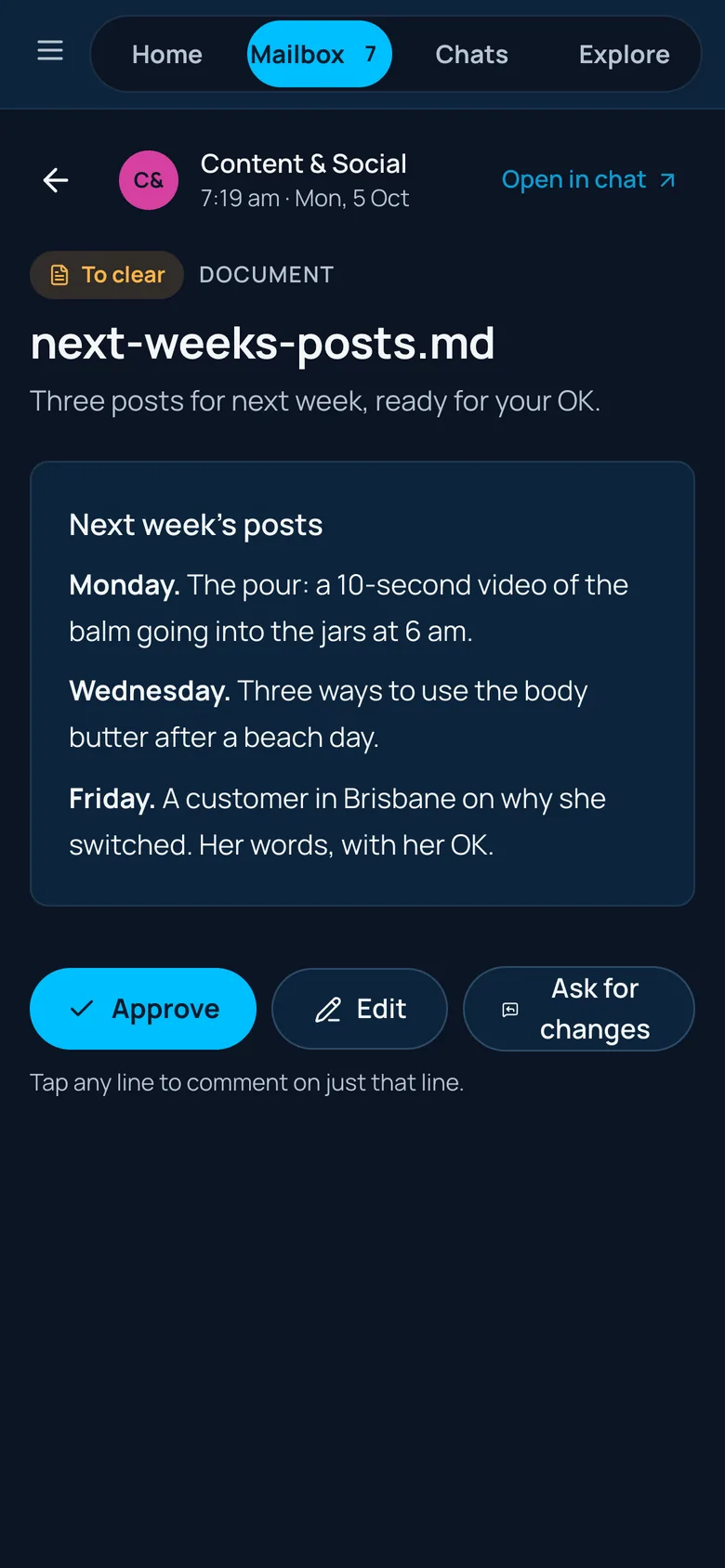
Junction in a phone’s browser. The iPhone and Android apps are coming soon.
Thrive in the Super Intelligence era.
From US$49 a person a month. 14 days free, card needed, nothing to pay today.