Super Intelligenceis here.
Junction gives you a ready-made team of AI agents that do the day-to-day work of your business.
Up to 90% done by AI. Your taste on the rest, and nothing goes out without your yes.
- 15 agents, 62 skillsReady to add, led by a Chief of Staff.
- Your yes firstNothing goes out through your apps without it.
- About US$1of AI for an agent’s first session (how we measured)
- 10 languagesOn the web, Mac and Windows.
From US$49 a person Already have a workspace? Download for Mac Windows iPhone and Android coming soon
How it works
Four things around every agent.
Each one is in the app today.
1Its own computerYour business gets its own private Junction server. Agents can also use a cloud computer with a browser, or your Mac.Cloud computers are on paid plans and run on Box, billed by Box.
4Your yesAnything that sends, posts or spends waits for your yes on that exact item, checked on our server.
2Your apps, connectedGmail, your calendar, your CRM, Shopify, Klaviyo, your ad accounts and more. Each agent only uses the apps you give it.
3Your data, your warehouseYour numbers sync into your own warehouse: a private one on your server, or your own Supabase or Postgres. Agents read it, never change it.
Home
Set a goal. Reach it faster with AI.
Tell Junction where you’re going. Your Chief of Staff finds the bottleneck, and your agents work on it every day.
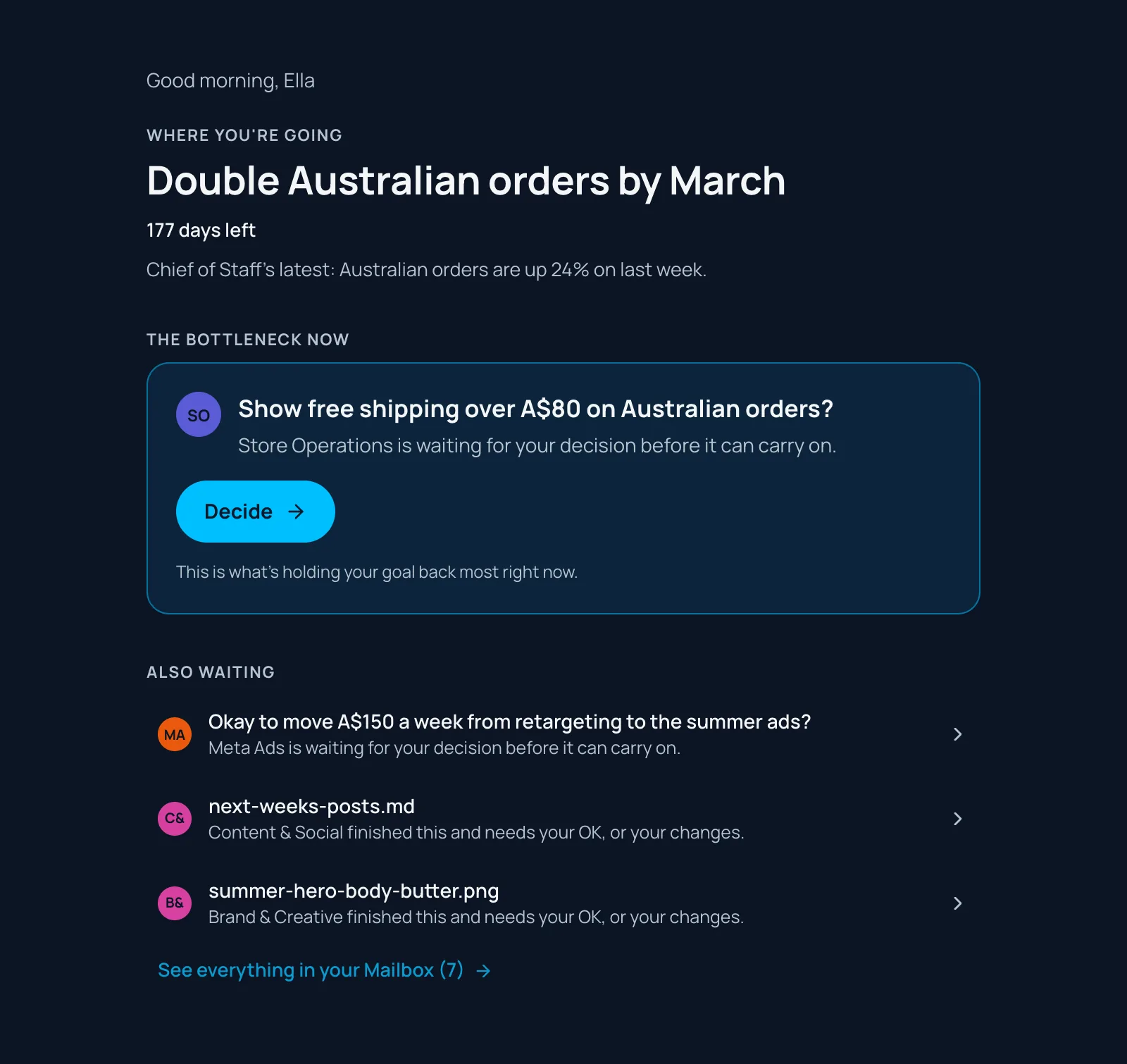
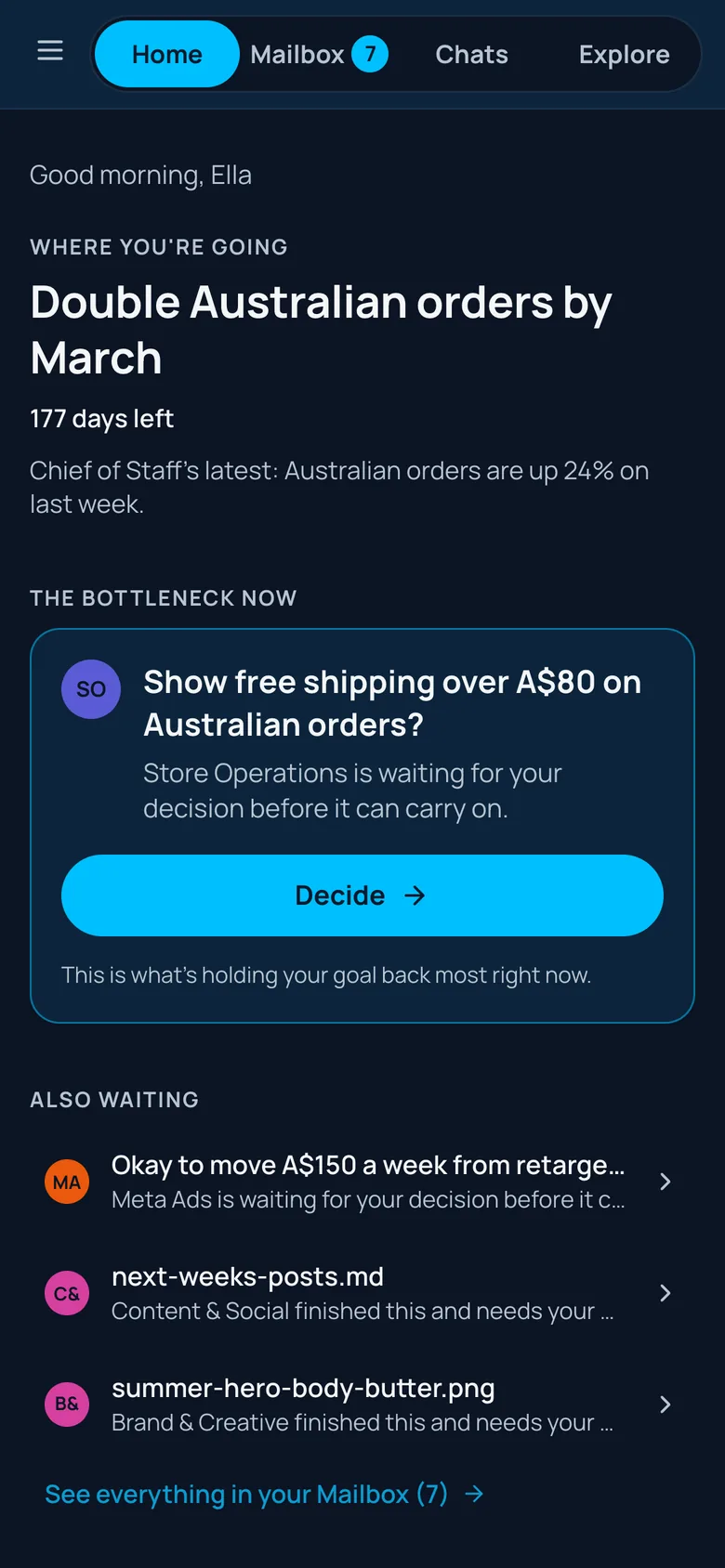
- Your goalSet it once. Every agent works toward it.
- The bottleneckThe one thing holding it back, found for you.
- Every dayAgents work on it. One button shows you where to start.
AI and people
AI works toward your goals. You do what only people can.
Your agents take the volume of the work. What’s left is the part that needs a person.
AI does the labour
- Research
- Numbers and reporting
- Drafts of emails, posts and ads
- Testing
- Follow-ups
- Scheduling
- Sourcing
You do what only people can
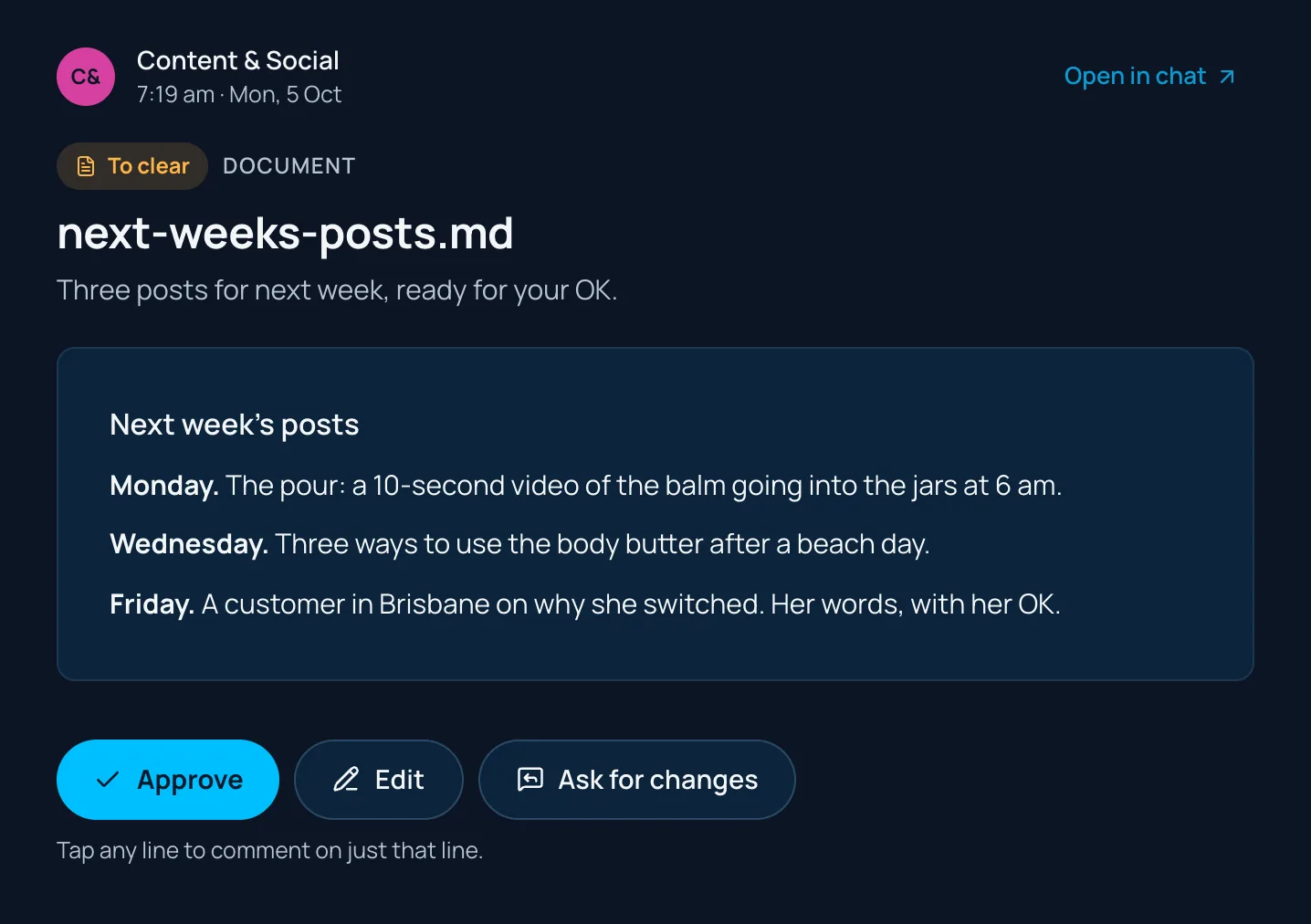
Finished work lands in your Tastegate, where your taste decides what goes out: approve it, edit it, or tell the agent what to change. Nothing goes out without your yes.
Your team
Build your company like an organisation: AI and people.
Your agents report to a Chief of Staff. Your people do the work that needs a person. See every agent
YouFounder or ownerDirection, and managing your agents
People
- SSalesCustomer relationships
- CCreativeTaste
- +Generalists or specialistsAs you need them
AI
CChief of StaffPlans the week, finds the bottleneck
Marketing
- CContent & Social
- EEmail & SMS
- MMeta Ads
- GGoogle Ads
- SSEO & AEO
- BBrand & Creative
Sales
- SSales
- WWebsite Chatbot
Online store
- SStore Operations
- WWebsite
- SStore Builder
- PProduct & Sourcing
Money & numbers
- FFinance
- WWeekly Results
It’s your call.Start with one agent or the full team, and shape it your way. Add agents from the library, or make your own.
Chats
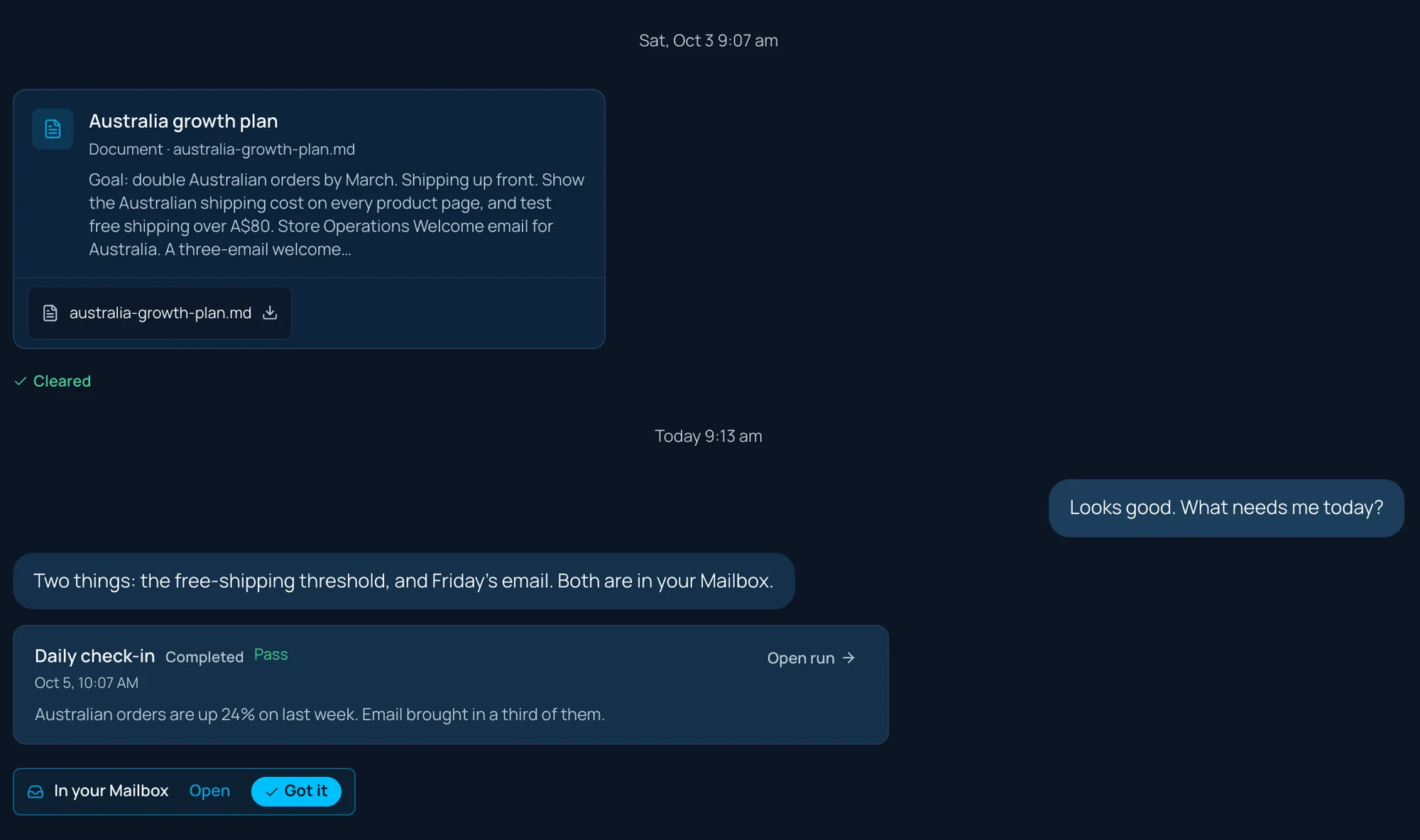
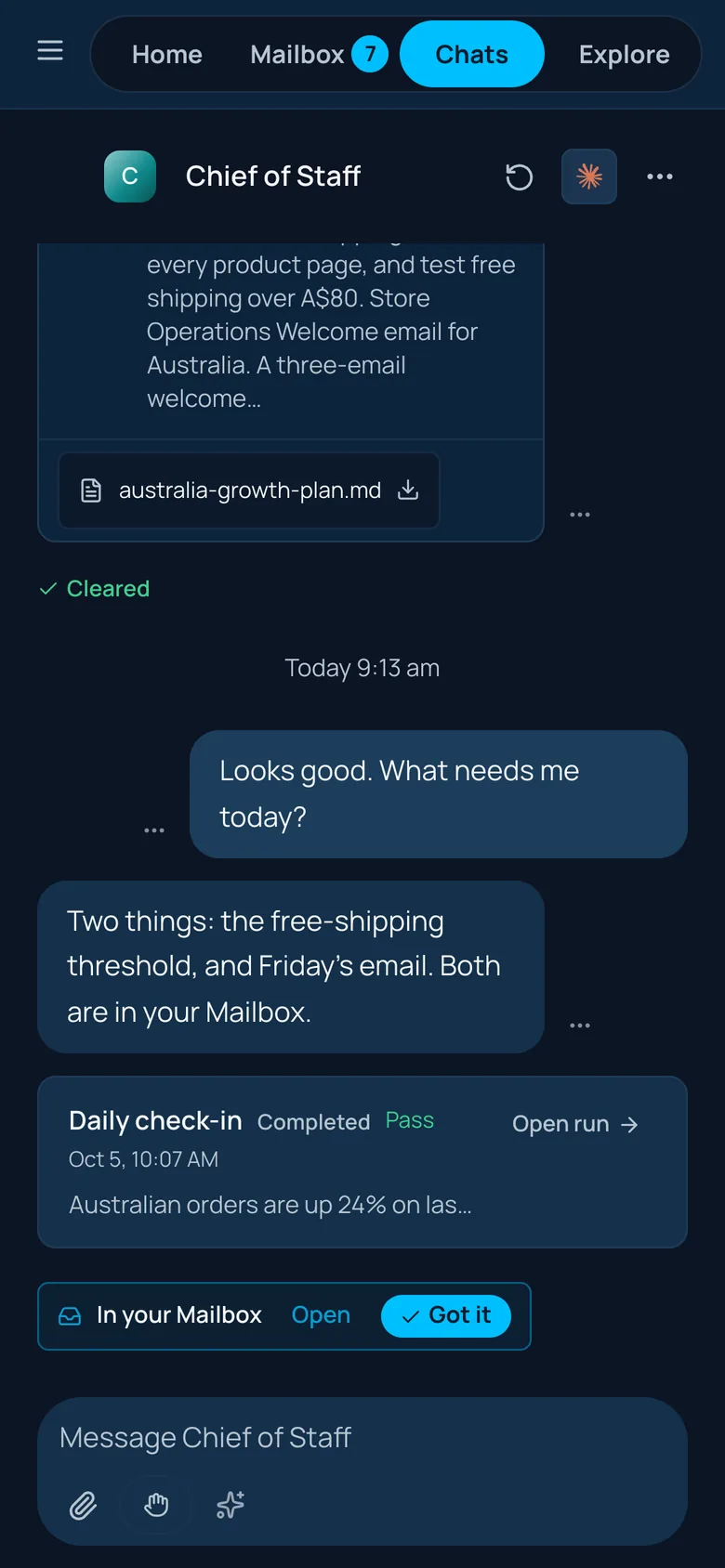
Short answers. One thread per agent.
Talk to any agent in one continuous thread. Replies stay short. Anything longer arrives as a document you can open and edit.
Routines
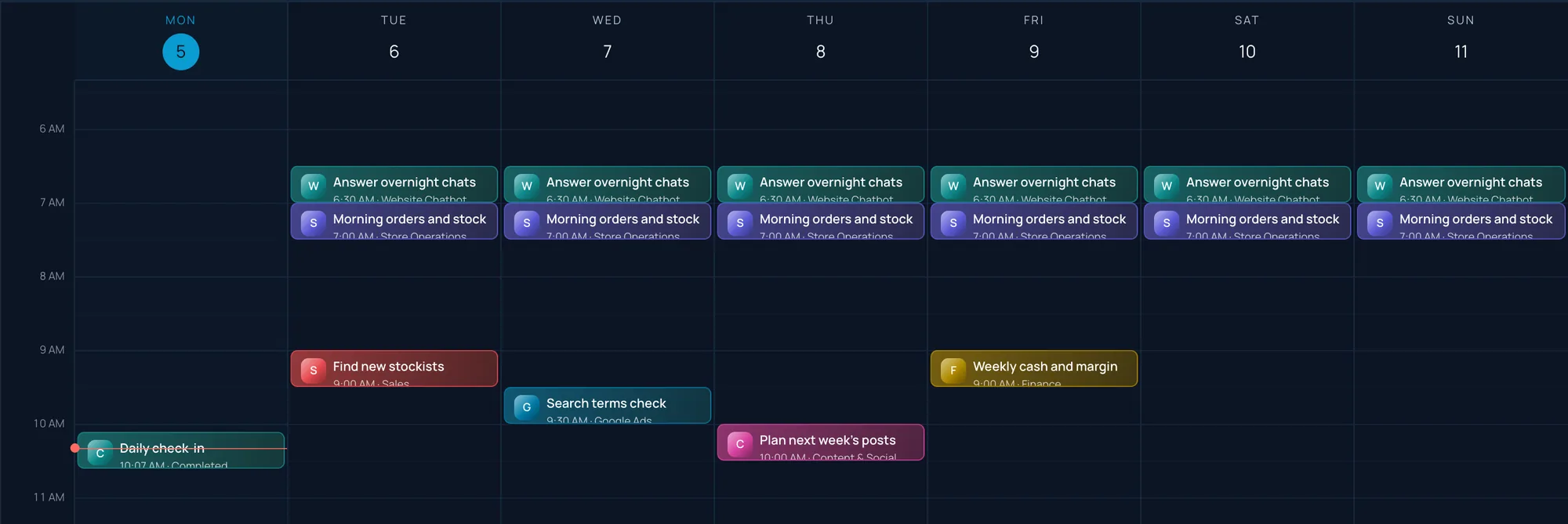
Routines run on their own.
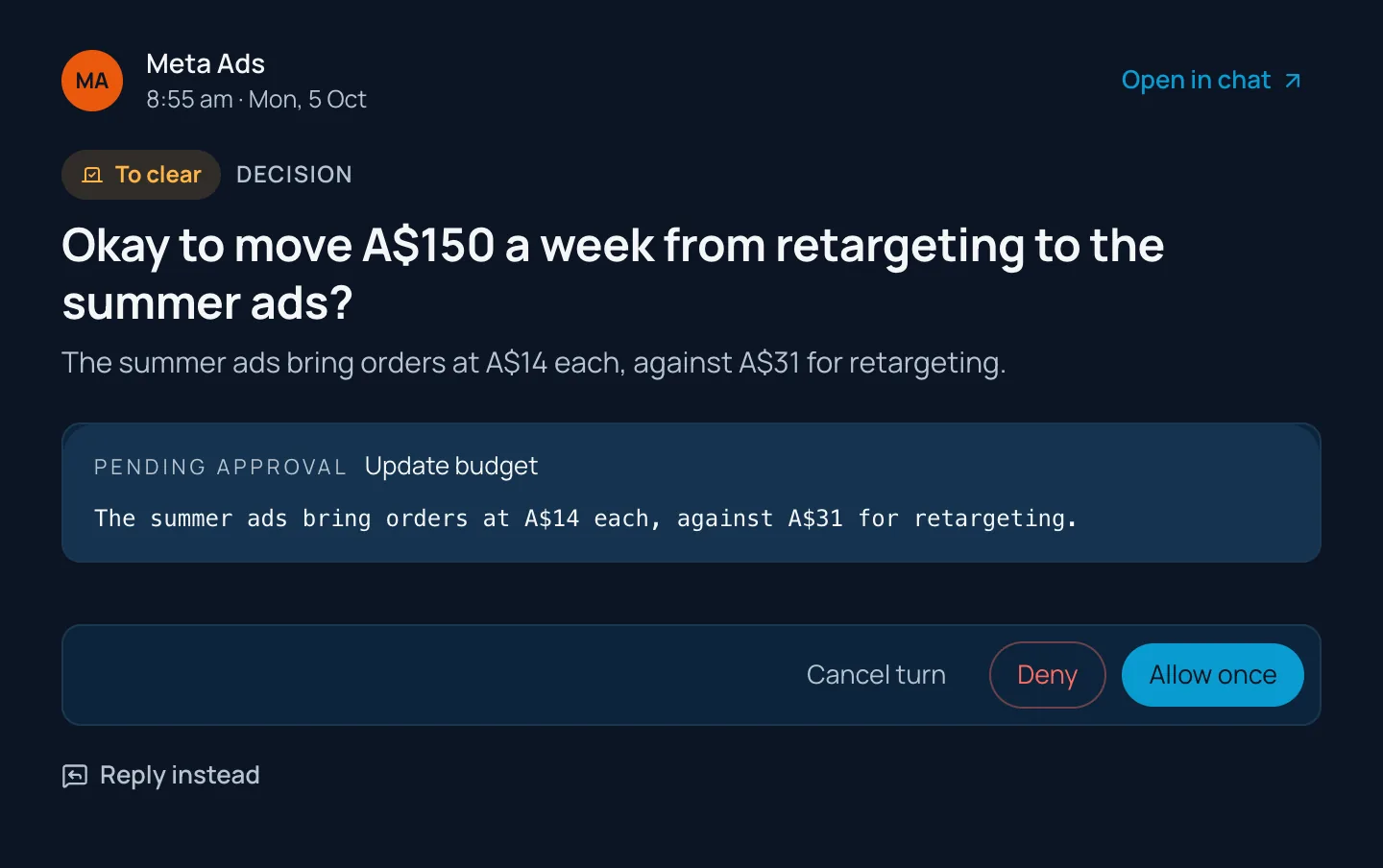
Daily checks, weekly numbers, next week’s posts. Your agents do the reading and the work on schedule, and only ask before sends, posts and spends.
Your AI
Plug in any AI.
Bring the AI you already pay for. Give each agent the model that suits it, and switch any time.
Agents think with
Sign in with your plan, or add an API key.
 Claude · AnthropicSign in with your Claude plan, or an Anthropic API key
 ChatGPT · OpenAISign in with your ChatGPT plan
 Gemini · GoogleGemini API key from Google AI Studio
 Grok · xAIxAI API key

 Another modelAny OpenAI-compatible API: OpenRouter, Mistral, DeepSeek, Groq, Together, or a local model
Creative makes images and video with
On your own key for each service.
- OpenAIGPT Image
- Grok Imagine · xAIImages and video
- Gemini · GoogleNano Banana images, Veo video
 HiggsfieldImages and video
 Vercel AI GatewayMany image and video models
Every option is billed by the provider directly, on your own account. No credit packs, and no markup from us. An API-key model can also run text-only, without tools.
Creative
Make what used to need a studio.
Ad graphics, graphics for your email campaigns, product shots and product concept mockups. Make them in Creative, or ask the Creative Agent: it shows you the plan and the cost first. The Product & Sourcing agent checks demand, compares suppliers and shortlists three.
- Ad graphics
- Email campaign graphics
- Product shots
- Concepts and mockups
- Product sourcing







Examples for Harbour & Hide, a fictional skincare brand, made with OpenAI’s GPT Image model. Creative uses the image and video models on your own keys.
Every workspace
One account for every workspace.
Switch between businesses in one click from the account menu. See what needs you across all of them on one page.
- Invite your team. Share agents, with an owner and editors for each.
- Partners add a client’s workspace from their own account, set it up, then hand it over.


Web, Mac and Windows
It pings you.
When something needs you, Junction tells you. Use it on the web, or in the Mac and Windows apps: sign in with one code, and they keep themselves up to date. The iPhone and Android apps are coming soon.
14 days free. Card needed, nothing to pay today.
Already have a workspace? Download the app.
On Windows you may see “Windows protected your PC” because the app is new to Microsoft. It’s safe: click More info, then Run anyway.
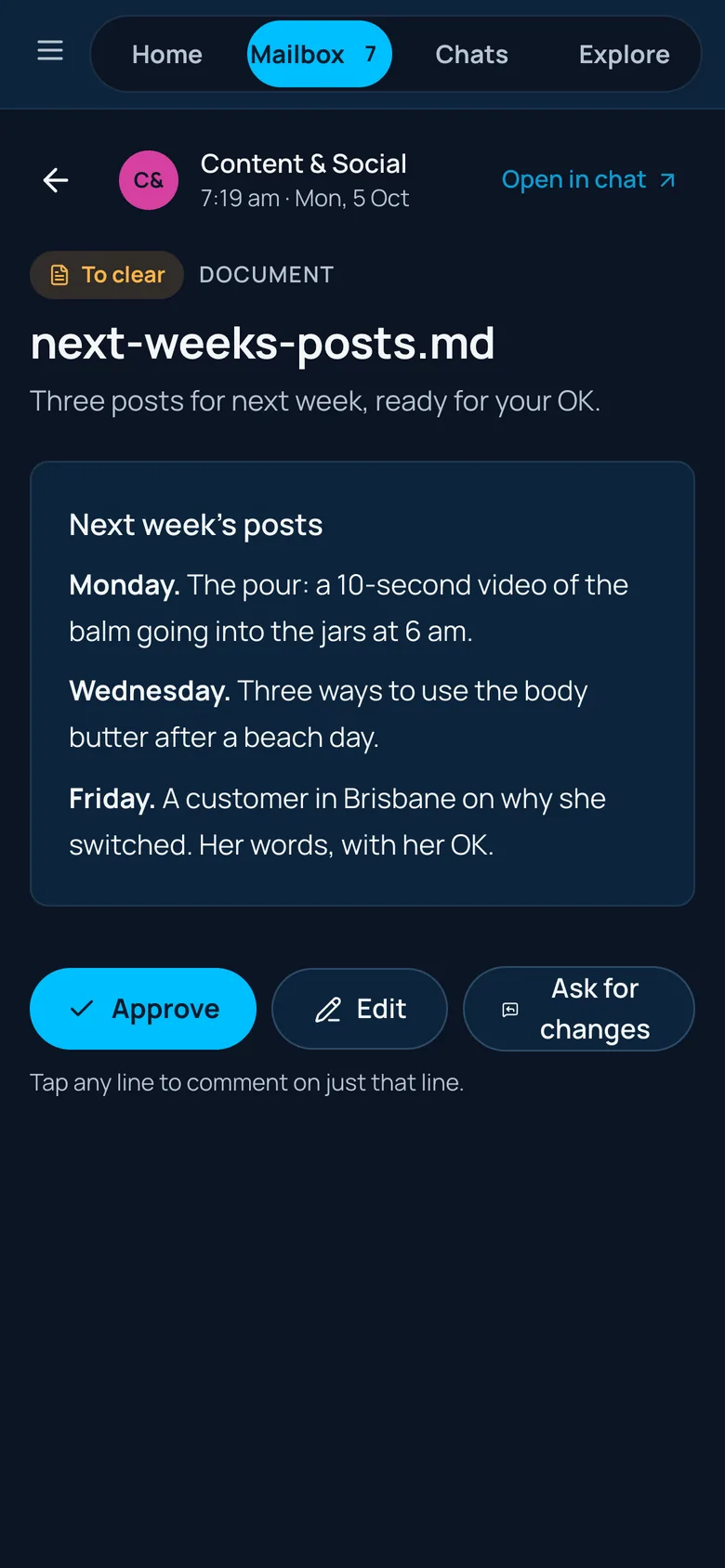
Junction in a phone’s browser. The iPhone and Android apps are coming soon.
Our track record
Junction has helped grow 40+ businesses since 2023. Now we’ve built what we learned into software.
Pricing
Simple, per person.
Run it yourself, or have us set it up and run it for you. You use your own AI, and your AI provider bills you for it.
Run your own agents. Everything included.
US$49US$490 /person/month/person/year
- First personUS$49US$490
- People 2–10US$45 eachUS$450 each
- People 11+US$40 eachUS$400 each
3 people: US$139/mo · 10 people: US$454/mo3 people: US$1,390/yr · 10 people: US$4,540/yr
14-day free trial, card required. Unlimited agents and routines, web, Mac and Windows apps, connected apps, approvals, cloud computers for your agents (Box, billed by Box) and 100 voice minutes a person each month.
Start free Start freeFor larger teams, or when you want us to set it up and run it for you.
- Setup, done with you
- Agent setup and management
- Customer support
- Priority support with a named contact
- Onboarding
- Google or Microsoft sign-in
- Audit log
- Roles
- Multiple workspaces
- Invoice billing
Custom builds
Book a call Custom company systems and data warehouse.
Built around how your business already works. Scoped and quoted with you before anything starts.
Partner network
How partnering works Agencies and consultants who deliver Junction to their clients.
Earn 20% of your clients’ Junction bill, every month, for as long as they stay with you.
14 days free, card required. Cancel before it ends and you won’t be charged. During the trial, voice is capped at 30 minutes and the cloud computer isn’t included.
Partners
Add an AI offer to your agency.
Earn 20% of your clients’ Junction bill every month, for as long as they stay. The client pays the normal price, billed by Junction.
- Become a partnerTell us about your agency. We switch on your partner account, usually within two working days.
- Add a client workspaceFrom your own Junction account: name the business, and it’s built for you, free for 14 days while you set it up. Switch between clients in one click.
- Set it up, hand it overGet their agents working, then hand it over. They start their own 14-day trial on their card, and you keep earning 20%.
Your client owns the workspace. You run their agents for your own fee.
You run the work on Junction, pay for the platform and charge your client for the results.
Websites and one-offs at your usual rates. Then Junction for the ongoing work.
Questions
Good to know.
What is Junction?
A team of AI agents for your business, led by a Chief of Staff. Each agent has a job, like email, ads, sales or finance. They do the work, put what they finish in your Tastegate, where your taste decides what goes out, and wait for your yes before anything goes out.
I already use Claude or ChatGPT. Why add Junction?
Keep using them. Junction gives them your business context, your apps and a job each, so they finish work instead of just chatting. Sign in with your Claude or ChatGPT plan, or use an API key for Claude, Gemini, Grok or any OpenAI-compatible model.
How does AI usage get billed?
You connect your own AI: sign in with your Claude or ChatGPT plan, or add an API key for Claude, Gemini, Grok or any OpenAI-compatible model. That provider bills you directly. Your Junction plan is per person: US$49 a month for the first, US$45 each for people 2 to 10, and US$40 each from 11. Pay yearly and get 2 months free. There are no credit packs to buy.
What can go out without me?
Nothing you haven’t allowed. Anything that sends, posts or spends through your connected apps waits for your yes on that exact item, and our server checks it, not just the AI. You can tap Allow once or Deny. A few low-risk record updates in your CRM can be allowed for a routine; sends, posts and spend never can.
How does the free trial work?
Every self-serve plan starts with 14 days free. A card is needed to start, and you can cancel any time before the trial ends without being charged. During the trial, voice is capped at 30 minutes and the cloud computer isn’t included. After the trial, each person gets 100 voice minutes a month; more voice is billed at cost.
What do I get with Business & Enterprise?
It’s for larger teams, and for businesses that want us to set Junction up or run it for them: setup done with you, agent setup and management, customer support, priority support with a named contact, onboarding, Google or Microsoft sign-in, an audit log, roles, multiple workspaces and invoice billing. Book a call and we’ll scope it with you.
Can you set it up or run it for us?
Yes. Business & Enterprise includes setup, agent setup and management, and customer support, as much as you want. We also build custom company systems and data warehouses. Book a call and we’ll talk it through.
We’re an agency. How does partnering work?
You earn 20% of each client’s Junction bill, every month, for as long as they stay with you. Your client pays the normal price, and Junction bills them. Once you’re a partner, you add a client’s workspace from your own account, set it up, and hand it over. You can manage their agents for your own fee, run the work for them, or start with a project. See partners.
Can my team use it?
Yes. Invite people to your workspace. Share an agent so everyone can chat with it, with an owner and editors who can change it, or keep an agent private to you. One Junction account works across every workspace you’re in.
Where can I use it?
On the web, and in the Junction app for Mac (Apple silicon and Intel) and Windows. You sign in with one code, and the apps keep themselves up to date. The iPhone and Android apps are coming soon. The app is in 10 languages.

Thrive in the Super Intelligence era.
14 days free. Card needed, nothing to pay today.
Already have a workspace? Download the app.
On Windows you may see “Windows protected your PC” because the app is new to Microsoft. It’s safe: click More info, then Run anyway.